

Free marketing tools are a must for local businesses with small teams (or none at all).
But when a free tool eats up a whole evening and produces nothing, is it really free?
Most small business owners can no more afford to waste time than money. One study found that 70% spend fewer than five hours a week on marketing. (1)
If this describes you, this guide will cover only the free marketing tools we think are worth your time.
Each of our picks is easy to use. We’ve also explained what sort of impact they can have, so you can decide whether to try them.
If you have a certain kind of marketing tool in mind, click below to jump ahead. Or for more general tips on strategy and quick tactics, see our guide to local marketing.
- Free SEO tools to help you appear on Google
- Free social media tools to create and manage your posts
- FAQs about free marketing tools
Free SEO tools for small businesses to help you appear on Google
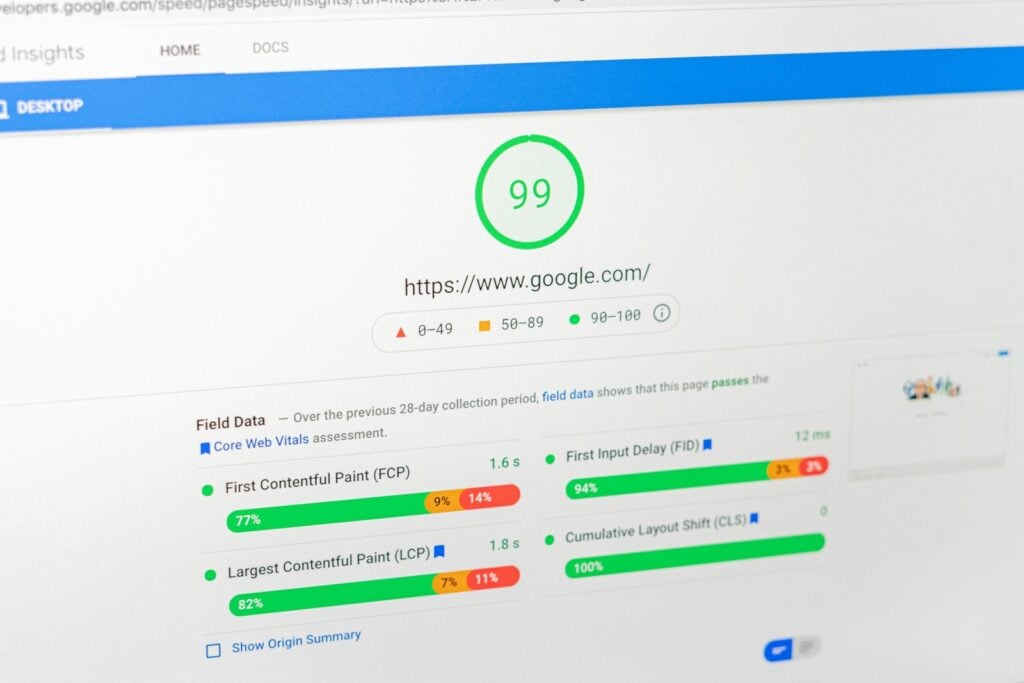
🔧 Fix SEO problems using a website audit tool
A website audit tool is something that scans your website in a similar way to how Google does.
It does so to find hidden problems stopping you from showing up in search results.
These problems are often things like missing page titles, broken links or slow load speeds.
If you’re new to SEO, the website audit tool we recommend is SEOptimer. You don’t have to sign up, unlike most site audit tools.
You just type in your web address and it grades your site from A+ to F on things like on-page SEO, links, usability and performance. It will also give you recommendations to act on.
For a more advanced site audit tool, try Screaming Frog. In one survey of SEO experts, 78% chose it as their go-to web crawler. (2)
Its free version scans up to 500 URLs. After downloading it, you just type in your web address and hit ‘Start’.
You don’t need to fix everything at once. Just start with the ones labelled ‘Errors’.
Or you can turn to an AI tool such as ChatGPT or Claude for guidance. Simply export the report to a chat, telling it:
“I only have one hour this week to spend improving my website. I’ve uploaded an SEO audit by Screaming Frog. In simple language using step-by-step guides, tell me what to do and how.”
🕵️ Find out where your competitors are listed with Ahrefs
You’re more likely to appear higher in Google search results when trusted sites link to your web domain.
For example, a local blog may link to you in a roundup of the best businesses in your area. This tells Google that your website can be trusted.
In SEO, these links are known as ‘backlinks’. Ahrefs’ free Backlink Checker helps you find out where to get them.
This time you’ll give it a local competitor’s website address.
After doing so, you’ll see a list of sites that link back to their website.
Some of these may be local directories or blogs. All you do next is approach them asking for a link to your own website.
Often they simply want to be a useful resource for locals. In these cases they should be happy to add you.
Quick list of SEO mini tools
Ahrefs Keyword Generator shows you what people are typing into Google after you enter a topic, like “kids football class.” It also gives you an idea of how hard each one would be to rank for. For smaller businesses, this is useful information when choosing what keywords to target. No sign-up needed.
Google Trends lets you compare search terms and see when people look for them most during the year. For example, you can spot when parents start searching for summer holiday camps. This tells you when to post about yours. No sign-up needed.
SE Ranking Title & Meta Description Checker checks that your page’s title and description are the right length to show fully on Google. You just paste them in, and it gives you a preview of how they would look to people searching. No sign-up needed.
Free social media tools for small businesses
Social media tools tend to do one of three jobs:
- They help you create your posts.
- They help you plan when to share them.
- They show you how well your posts are doing.
There are dozens of free tools out there that can do this for your business. To save you the research, here are the ones we’d pick for each job.
These picks are easy to use, give you more than most free plans and are a good fit for smaller businesses.
🎨 Make graphics that look professionally designed with Canva
Adding words to images can help catch people’s attention as they scroll through Instagram.
One study looked at 1,000 Instagram posts. They found posts with text over the images got 40% more engagement than those without. (3)
But few business owners have the design skills or time to create these.
This is why the first tool we recommend is Canva. More than 260 million people use it every month, making it one of the world’s most popular design tools.
You can use Canva to turn plain photos into posters or flyers, adding your brand logo, a date or even a more vibrant background.
Here’s how to make your first one:
We recommend starting from a ready-made template, not a blank page. It’s what makes the process quick and the result professional.
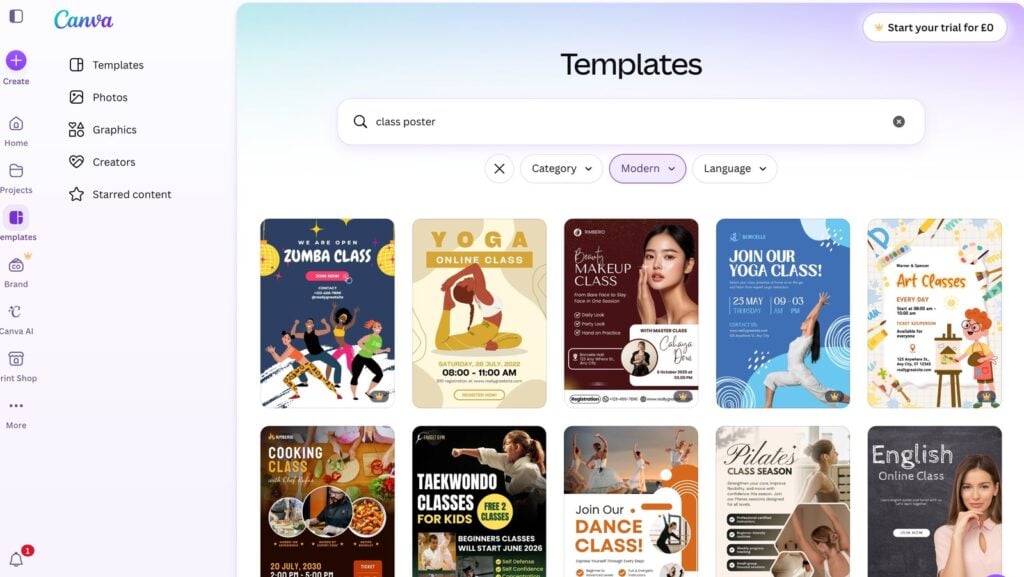
- Sign up free at canva.com (or download the app). You can log in with a Google or Facebook account to save time.
- Search for what you want to make. Type “Instagram post” or “flyer” into the search bar and pick a free template you like.
- Add your own words. Click any text to edit and swap in your business name, a date or “Book now”.
- Add your own photo. Click “Uploads,” add one of your own photos, then drag it onto the design.
- Brand it. Change the colours and add your logo.
- Download and share. Click “Share,” then “Download.” Choose PNG for posting online, or PDF if you’re printing a flyer.
If you get stuck you can also use Canva AI.
This chatbot turns requests (“an Instagram post for a kids’ football class”) into a first draft for you to work on.
Just note that Canva’s free plan only lets you make a limited number of AI requests per month.
🎬 Turn your photos into a Reel with CapCut
On Instagram, short videos known as Reels tend to reach more people than photos do.
Buffer, who create social media tools, looked at how far different posts spread. They found Reels reached 2.25 times more people than single-photo posts. (4)
One reason is that Instagram often shows Reels to people who don’t already follow you, which can help new customers find your business.
Of course, editing videos can be even harder and more time-consuming than images. To get around this, CapCut is the free tool we recommend.
CapCut is a video editing app made by the same company as TikTok. You can use their free plan to turn a few photos and clips into a short, vertical video to post as a Reel.
Here’s how:
- Download CapCut free (on your phone, or use it on a computer at capcut.com).
- Start a new project and add your photos. Pick a few of your best, like shots from a recent class or session.
- Add music. Choose a free track from CapCut’s library.
- Add a few words. Tap to add text such as your business name and “Now booking.”
- Export and share. Save it in 1080p, then post it to Instagram or Facebook.
Avoid any templates marked with a crown. Those require payment.
Before you save your video, check the end. If CapCut has added a short logo clip, delete it.
🤖 Use Meta Business Suite as your social media assistant
Meta Business Suite is a free tool for running your Facebook and Instagram in one place.
If you haven’t set it up already, it should only take five minutes:
- Download the Meta Business Suite app or visit business.facebook.com
- Log in using the profile with admin access to your business pages
- Go to Settings and follow the steps to connect your Instagram account
Doing this can cut out repetitive work or save you time in other ways. Here’s a quick overview of how:
| Job | How Meta Business Suite handles it |
|---|---|
| Post to Facebook + Instagram at once | Write a post once and publish it to both platforms together, instead of doing each by hand. |
| Batch schedule a month of posts | Use the Planner‘s drag-and-drop calendar to queue posts, Stories and Reels up to 29 days ahead. |
| Find the best time to post | The Planner recommends posting times based on when your own followers are active. |
| Reply to scattered messages | Its single inbox pulls Facebook messages, Instagram DMs + comments together in one place. |
| Avoid rewriting the same answers | Sets up saved replies + automated responses for your most-asked questions (prices, ages, locations). |
👉 If you set up just one new thing this week, make it the Planner.
This way you batch-schedule a week or more of posts in one sitting. It also helps you time these posts for when your followers are most likely to see them.
If your business only uses Facebook and Instagram, Meta Business Suite should be enough.
If you want to connect other social media platforms, try Metricool. You can schedule 20 pieces of content a month on the free plan, though LinkedIn and X/Twitter are not included.
Quick list of smaller social media tools
Bitly shortens your links and lets you track them easily without having to dig into Google Analytics.
Flick has free AI tools that create captions, hashtags and full posts. You’ll need to sign up to use them.
Hootsuite Hashtag Generator gives you a list of hashtags to copy and paste after you type in a few words about your post. This can help more people find your post. No sign-up needed.
Want more quick marketing tips?
If you’d like ideas like these delivered to your inbox each week, sign up for our free newsletter.
It’s built for people who run kids’ classes, camps and clubs in London. However, many issues contain quick, practical tips that most local businesses can try or adapt.
Sign up below 👇
FAQs about free marketing tools
What are the best free marketing tools for small businesses?
The best free marketing tools vary depending on what you need. In this article we looked at three main jobs.
The first is creating posts, where we recommend Canva for designing images and CapCut for making short videos.
The second is managing your social media, where we recommend Meta Business Suite for planning and scheduling your Facebook and Instagram posts in one place.
The third is getting found on Google, where free tools can help you choose the right words to use on your site and check how your pages look in search results.
Most small businesses won’t need all of these at once. The best free marketing tool is whichever does the job in front of you.
What are the best SEO tools for beginners?
The best SEO tools for beginners are the free ones from Google and simple website checkers like SEOptimer.
Google offers free tools such as Search Console, which shows you which searches bring people to your site.
There is also Google Trends, which shows you when people search for different things during the year.
These are a good starting point because the information comes straight from Google itself.
SEOptimer (seoptimer.com) is also helpful for beginners. You enter your website address and it checks your site, then gives you a simple list of things you could fix to do better in search results. None of these require any special skills to get started.
What are the best AI tools for small businesses?
The best AI tools for small businesses are the ones that save you time on everyday jobs.
For writing, the main options are Claude, ChatGPT and Gemini.
You can use them to draft posts, write emails, or get ideas when you’re stuck. All three have free plans you can use without paying.
For design, Canva has AI built in that can create a post or flyer from a short description.
One thing to keep in mind is that free plans change often, with the amount you can do for free going up and down, so it’s worth checking what each one offers before you rely on it.
What is the best social media management tool for a local business?
The best social media management tool for most small businesses is Meta Business Suite. It’s free, and it runs your Facebook and Instagram from one place, which is where most small businesses already post.
You can use it to schedule a week or more of posts in one sitting, reply to messages and comments in a single inbox, and save answers to questions people ask a lot.
Because it’s made by the same company that owns Facebook and Instagram, there’s nothing extra to connect.
If you post to other places too, like TikTok, tools such as Buffer and Metricool can handle more platforms at once.
But for Facebook and Instagram on their own, Meta Business Suite covers what most small businesses need.
References
1. Small Business Marketing Trends, Fiverr
2. The State of Technical SEO, Aira
3. Instagram Text Overlays, Fanpage Karma